
Technical support
Windows
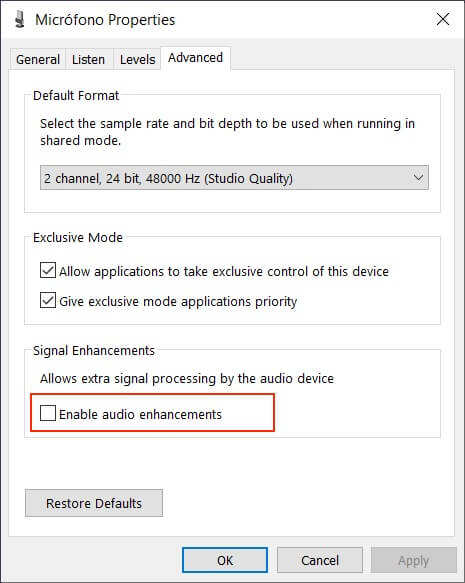
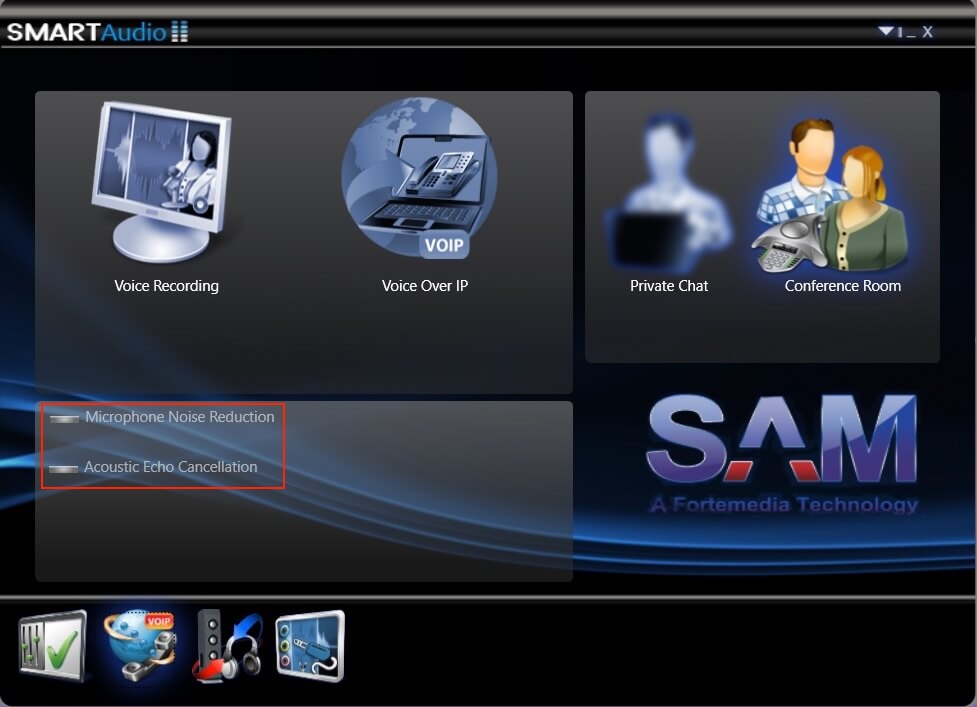
| Windows versions 10 and 11 have been tested. For an accurate latency measurement in recording process, it is recommended to deactivate built-in audio constraints, at operating system level, that may interfere with the audio capture, see pictures below. Firefox demonstrated the most stable performance in latency estimation. In contrast, Chromium-based browsers, such as Chrome and Edge, exhibited significantly greater variability. | Firefox (v.139), Chrome and Edge (v.137). |
| | Disable audio enhancements |
| | Deactivate drivers and audio filters such as echo cancellation or noise reduction, i.e. SMARTAudio, WAVES MaxxAudio Pro, etc. from third-party software. |
macOS
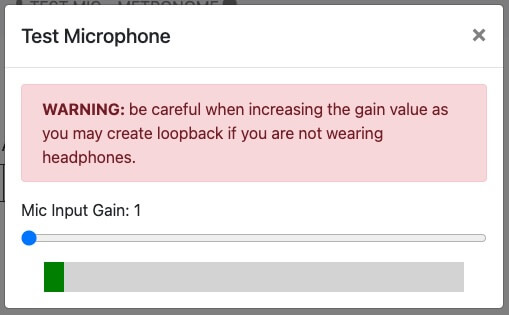
| Versions 11.5 and 15.4 of macOS have been tested, including Safari 14.1 and 18.4 respectively. In versions 16 and higher of Safari issues with low input gain have been experienced. A mechanism to manually control the microphone input and increase it has been implemented, see picture below. Firefox and Chrome have also been used for testing showing no issues. | Safari (18.4), Firefox (138) and Chrome (136) |
| | From Safari 16 and higher |
GNU/Linux
| Ubuntu 22.04.5 (64-bit) has been used for testing. Inconsistent latency values have been obtained in Chrome and Chromium. Firefox demonstrated the most stable performance in latency estimation. | Firefox (136), Chromium/Chrome (134) |
iOS
| Versions 15.1 and 17.5 of iOS have been tested. In versions 16 and higher of Safari issues with low input gain have been experienced. A mechanism to manually control the microphone input has been implemented, see picture above in macOS section. No other alternative browsers have been tested for iOS yet due to Apple's browser policy. Some memory limitations have been experienced (as in Firefox for Android) when loading multiple tracks in devices such as iPhone 13 running iOS 15.1. | Safari 15 and higher |
Android
| Android versions 12 and above have been tested and some issues have been encountered. Therefore this operating system is not recommended for recording. Inconsistent latency values have been obtained in Chrome and performance problems when loading multiple tracks have been reported in Firefox, due to the decodeAudioData Web Audio API method. | Chrome (136), Firefox (139) |
Bluetooth devices
| Bluetooth headphones, even those with built-in microphones, are generally discouraged for recording due to the high and variant latency they introduce, which is difficult to estimate and compensate for accurately. Furthermore, the audio capture codecs used in Bluetooth devices are often optimized for voice transmission rather than music, leading to significant degradation in input signal quality due to limited spectral fidelity. Therefore, it is recommended to use wired headphones or microphones. | Bluetooth not recommended, only wired devices |
Line-in instruments
| Alternative recording methods involving line-in instrument inputs, such as electric guitars or keyboards connected directly to an audio interface, are not recommended, as they may pose challenges in accurately estimating latency. Proper operation in such cases depends on the audio interface in use, particularly whether it supports input monitoring or loopback functionality. For MIDI sources, compatibility is not guaranteed, as the system does not natively support the Web MIDI API. 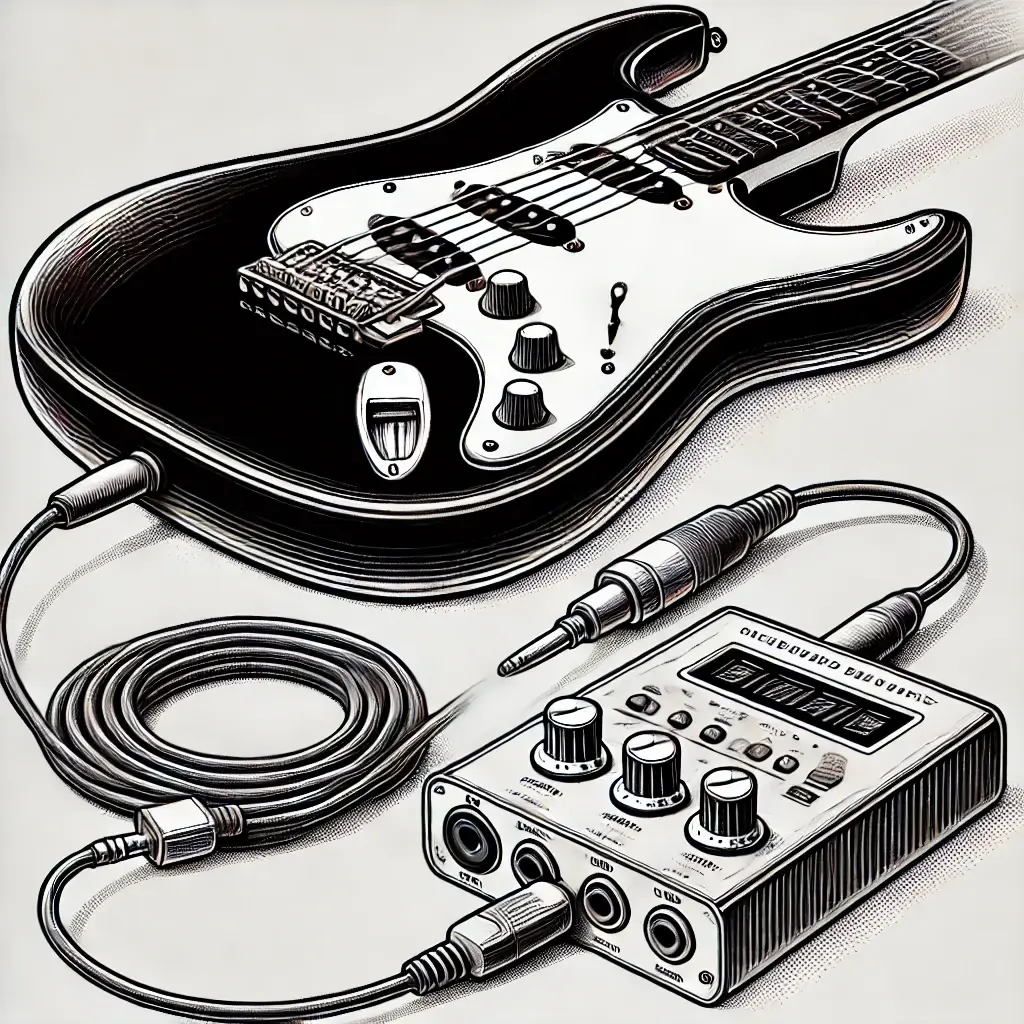 | Depends on the audio interface |
Audio Formats
| WAV, MP3 playback fully supported ALAC (Apple Lossless Audio Codec) only supported by Safari | Ogg Opus and Ogg Vorbis supported from Safari 18.4 |
| Recording format | WAV |
| Compression server-side | AAC (Advanced Audio Coding), .m4a container |